



Viral Save or Share Cart: Persistent Links & Email Capture
In many e-commerce categories—home improvement, automotive, fine spirits, technical gear, or gifting—buying is a collaborative decision:
- A spouse wants to share the cart with their partner for approval.
- A contractor wants to send the exact list of replacement parts to a client.
- A customer service rep builds a cart for a phone customer and emails them a 1-click checkout link.
Supercart’s Save or Share Cart Engine (share_discount, share_discount_delivery) turns your cart drawer into a collaborative viral acquisition channel.
1. Verified Merchant Success: United RV
“As an FYI… the feature that everyone is super excited about is the Share Cart feature… we are crushing it with that little feature.
The reason is… shopping for RV parts is hard, and it’s hard to know that you have everything in your cart. So if you just talk to our guys, they will put everything in your cart for you, and you will be sure to get everything you need.
This might be one of the most effective features we have had in a while.”
— United RV Parts (Over $1.5M in retained shipping & checkout margin)
2. How Save & Share Works
Shopper Clicks 'Share Cart' Icon in Drawer Header
  │
  ├─► Option A: Copy Instant Shareable Permalink (Clipboard)
  │     │
  │     ▼
  │   Recipient Clicks Link ──> Cart Instantly Reconstructed on Any Device!
  │
  └─► Option B: Email Cart to Myself / Friend
        │
        ▼
      Supercart Captures Verified Email Lead into Klaviyo / CRM!
A. Persistent Permalinks
Supercart encodes all line items, variant IDs, and quantities into an encrypted, persistent URL. The recipient can open the link on a desktop computer, tablet, or phone, and the complete cart drawer is reconstructed in sub-milliseconds.
B. High-Intent Email Capture
When shoppers choose “Email Cart to Myself”, they willingly provide their email address. Because this lead has already hand-selected products, their purchase intent is dramatically higher than a generic 10% off popup email capture.
C. Share Incentive Discounts (Optional)
Incentivize viral sharing by attaching an automatic reward:
- “Share this cart with a friend and you both get $10 off your order!”
- Supercart generates a unique single-use coupon for the recipient.
3. Visual Walkthrough & Editor Settings
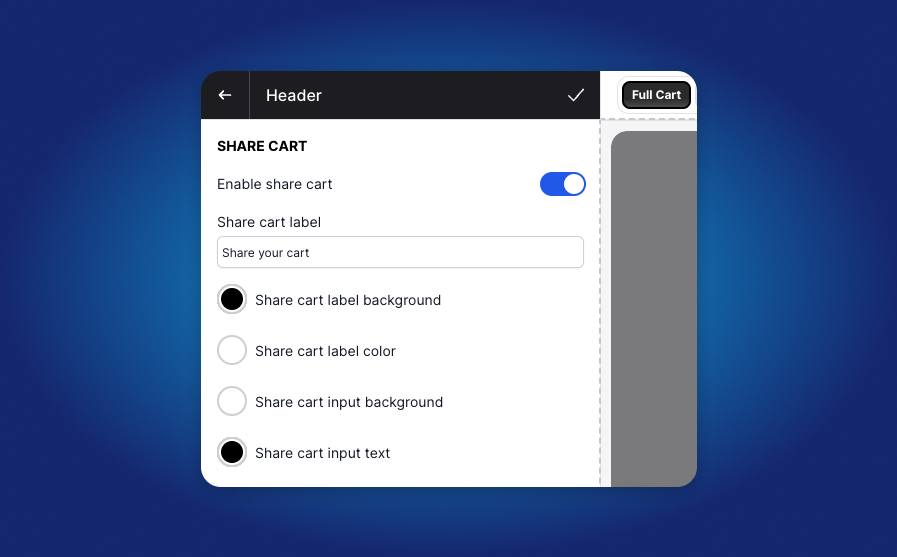
Step 1: Enable Share Cart in the Header Block
Inside the Supercart Header block, scroll down to the share cart area and enable the toggle. You can customize the icon style, title, and button copy.
4. Tracking Share Links & Performance Analytics
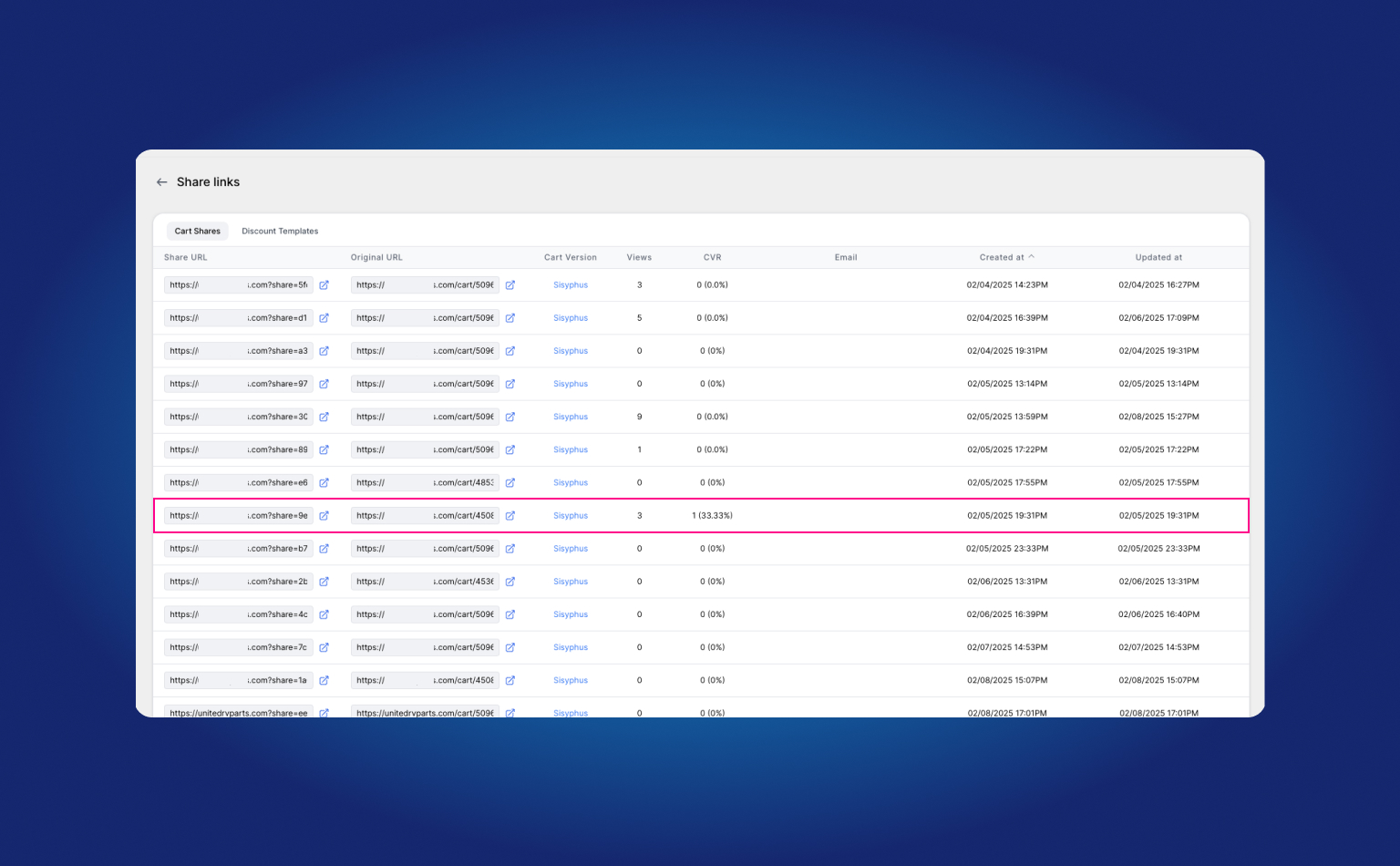
Supercart provides a dedicated tracking dashboard to monitor your viral sharing performance:
- Track total links generated across all sessions.
- See individual share URLs, creation timestamps, and click counts.
- Measure attributed conversion rates and gross revenue generated from shared carts.
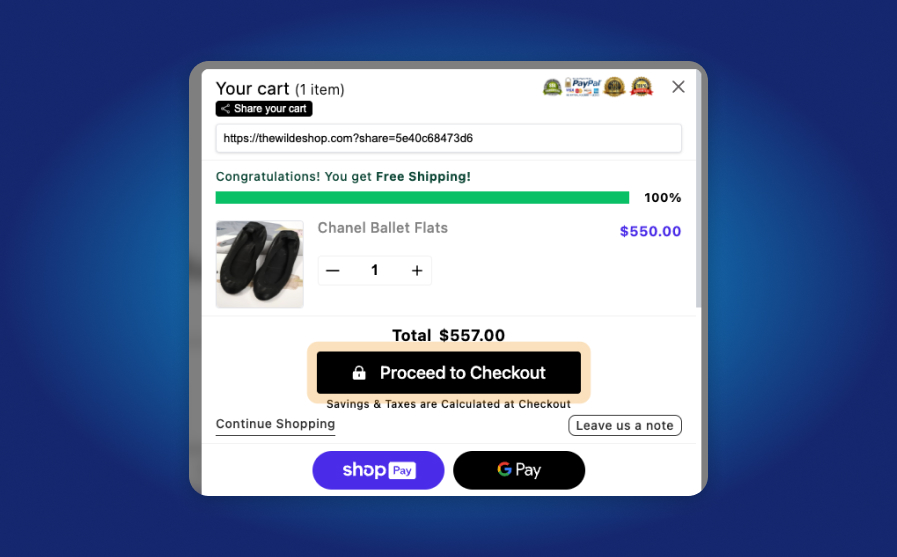
When shoppers click “Share Cart”, Supercart generates a high-contrast popup modal where they can copy their unique permanent link or email it directly with an optional discount incentive.
5. How to Enable Save & Share in Supercart
- Open the Supercart Visual Editor.
- Click on the Header block.
- Scroll down to Save or Share Cart and toggle the switch to ON.
- Configure optional share rewards and email delivery settings.
- Click Re-Publish.
Track performance inside your dashboard under Share Cart Analytics to monitor total links generated, unique recipient sessions, and attributed revenue.