



Terms & Conditions In-Cart Checkbox for Chargeback Defense
Every merchant selling custom, high-ticket, perishable, or age-gated products deals with customer disputes:
- “I didn’t know custom engraved items were non-refundable.”
- “I didn’t realize pre-orders took 6 weeks to ship.”
- Friendly fraud and credit card chargebacks where the customer claims they never agreed to store policies.
Supercart’s Terms & Conditions Checkbox Block requires customers to explicitly acknowledge your policies before reaching the checkout button, creating an ironclad legal audit trail that wins chargeback disputes.
1. Video Walkthrough: Adding the Terms & Conditions Checkbox
Watch how to configure mandatory policy agreement checkboxes and visual validation inside Supercart:
2. When Should You Require Terms Agreement?
While standard apparel stores may choose to keep checkout completely frictionless without a mandatory checkbox, the Terms Checkbox is essential for:
- Custom & Personalized Goods: Non-returnable bespoke jewelry, personalized apparel, or monogrammed items.
- Pre-Orders & Backorders: Products with known fulfillment lead times (e.g. shipping in 4–8 weeks).
- Age-Restricted Products: Alcoholic beverages, fine spirits, tobacco, vaporizers, CBD, knives, or firearms accessories.
- Final Sale / Liquidation Items: Clearance items sold strictly “as-is”.
- High-Ticket Electronics & Machinery: Stores with strict restocking fees on opened boxes.
3. Setting Up the Terms Checkbox in Supercart
Step 1: Add the Terms & Conditions Block
- Open the Supercart Visual Editor.
- Click + Add Block and select Terms & Conditions Checkbox.
- Position the block directly above the primary checkout button.
Step 2: Configure Label Copy & Policy Links
Enter your required legal acknowledgment copy with clickable HTML links:
I agree to the <a href="/policies/terms" target="_blank">Terms of Service</a> and acknowledge the <a href="/policies/terms" target="_blank">Return Policy</a>.Step 3: Enforcement & Checkout Validation
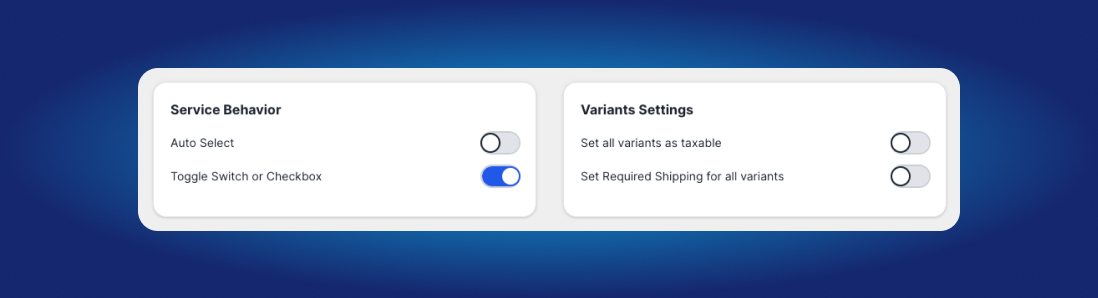
- Required vs. Optional: When set to Required, Supercart prevents the customer from progressing to checkout until the box is checked.
- Micro-Shake Animation: If an impatient shopper clicks “Checkout” without checking the box, Supercart shakes the checkbox gently and highlights it in high-contrast red to guide their attention.
4. The Permanent Audit Trail in Shopify Order Attributes
When a customer checks the box and completes their purchase, Supercart records the agreement directly inside the order’s metadata attributes:
{
  "note_attributes": [
    { "name": "terms_and_conditions_agreed", "value": "true" },
    { "name": "terms_agreed_timestamp", "value": "2026-09-04T15:30:00Z" }
  ]
}
If a buyer ever files an unwarranted credit card chargeback claiming they were unaware of your return policy, you can export this verified timestamp directly to your payment processor (Stripe, Shopify Payments) to win the dispute.