



Supercart Quickstart & 3-Minute Setup
Welcome to Supercart. In the next three minutes, you will transform your store’s default Shopify cart into a high-converting, revenue-generating slide drawer.
Supercart helps high-volume Shopify and Shopify Plus brands capture 15% to 30% higher Average Order Value (AOV) by combining self-funded shipping protection, in-cart upsells, tiered rewards, and lightning-fast compiled reactive execution.
[!TIP] Free White-Glove Setup: Prefer our engineering team to style and tune your cart to match your brand typography and color palette? Email us at hey@supercartapp.com with your store URL, and we will configure your cart drawer free of charge.
1. The 3-Step Setup Process
Setting up Supercart requires zero Liquid coding. Our Online Store 2.0 App Embed runs securely isolated from your theme files, meaning you can install, test, and preview everything without risk.
Step 1: Install Supercart from Shopify App Store
  │
  ▼
Step 2: Enable the Supercart App Embed in Theme Editor
  │
  ▼
Step 3: Customize Blocks & Launch on Live or Staging Theme
Step 1: Install the App
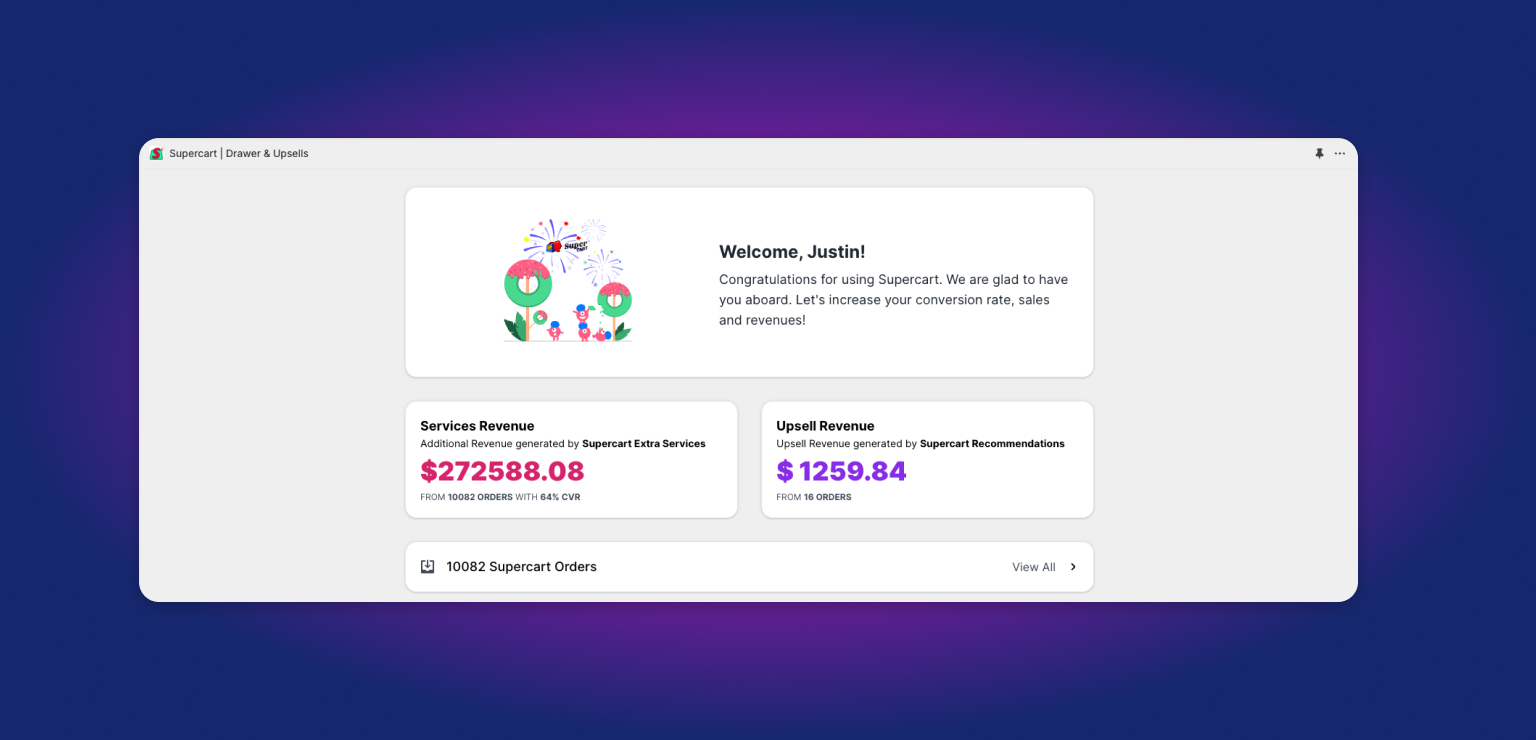
Install Supercart directly from the Shopify App Store. Once installed, you will land directly inside your Supercart Merchant Dashboard.
Step 2: Activate the App Embed in Your Theme
- Inside your Shopify Admin, navigate to Online Store → Themes.
- Click Customize next to your active theme (or duplicate theme).
- In the left sidebar, click the App Embeds icon (the third icon from the top).
- Find Supercart in the list and toggle the switch to ON.
- Click Save in the top-right corner.
[!IMPORTANT] Zero Code Disruption: Supercart does not alter or inject messy code into your
theme.liquidfile. If you ever disable the app embed, your store instantly reverts to its default theme behavior with zero leftover scripts.
Step 3: Open the Supercart Visual Editor
Return to the Supercart app inside your Shopify Admin and click Customize Cart. You will enter our visual drag-and-drop editor.
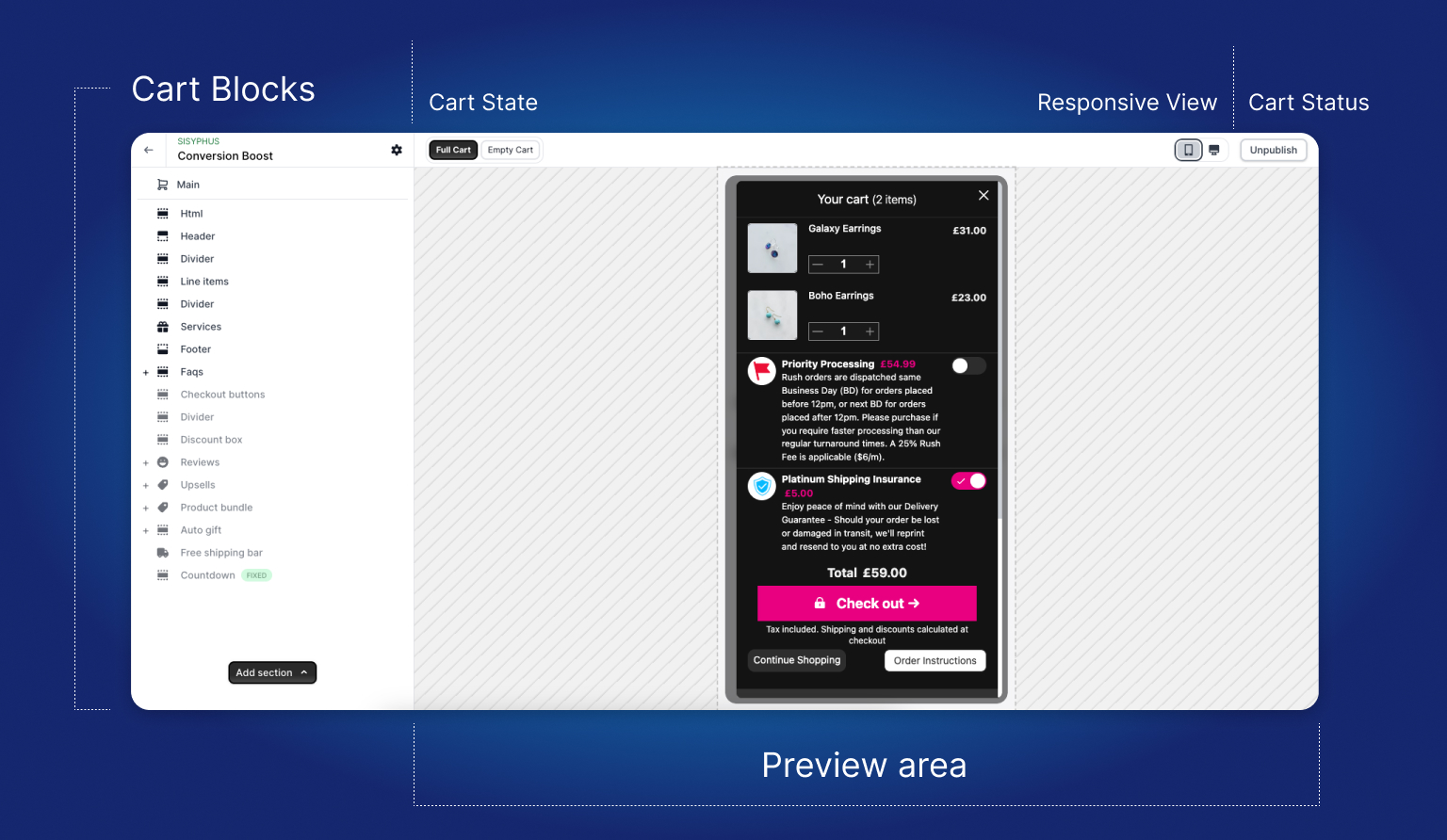
Here, you can drag, drop, reorder, and configure every section of your drawer with instant live preview.
2. Core Revenue Engines Included in Supercart
Supercart replaces 6 to 8 disconnected third-party apps with a single, unified ~60KB engine.
A. Extra Services & Self-Funded Shipping Protection
Instead of paying third-party insurance companies 80% to 90% of protection fees, Supercart allows you to run an in-house protection reserve fund.
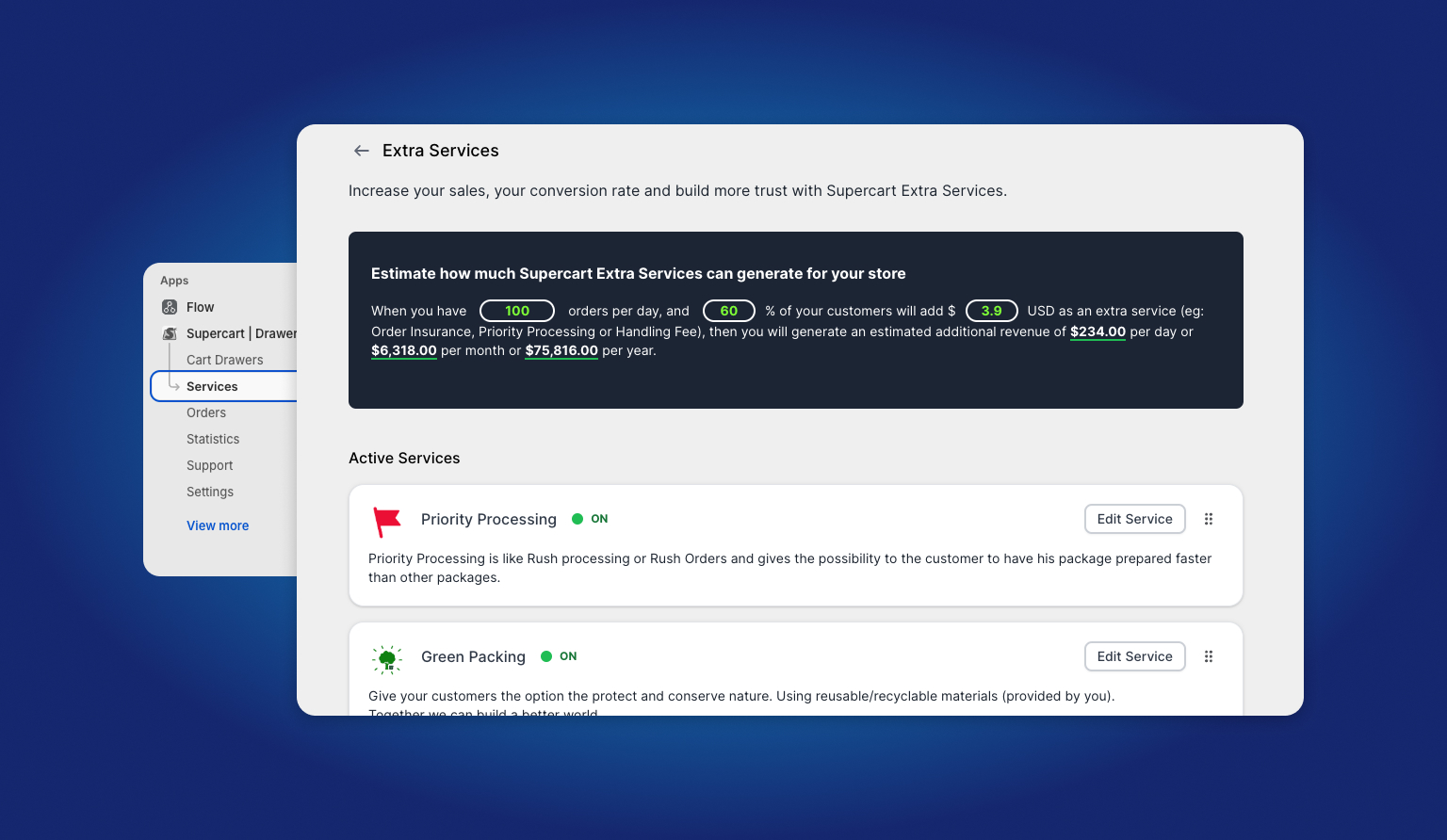
- Order Protection / Shipping Protection: Offset lost, stolen, or damaged packages while retaining 100% of collected revenue.
- Priority & Rush Processing: Allow customers to pay $2.99–$4.99 for priority queue handling at your warehouse.
- Extended Warranty & Extended Returns: Offer 1-year product guarantees or 60-day hassle-free return windows.
- Gift Packaging & Notes: Charge for custom boxes and capture personalized buyer notes.
- Green Packing & Donations: Support environmental causes while driving positive brand affinity.
B. Native A/B Split Testing
Supercart is the only cart drawer in the Shopify ecosystem with built-in A/B split testing.
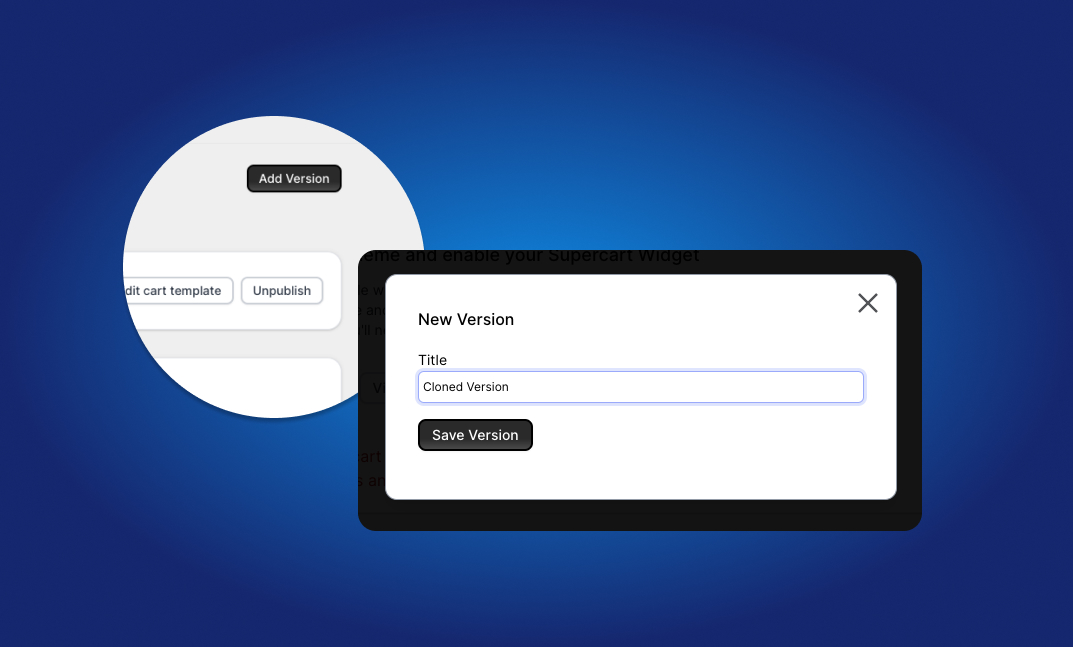
Test two distinct cart designs simultaneously:
- Test Variables: Free shipping threshold vs. gift with purchase, checkbox vs. toggle switch, dark vs. light accents.
- Automatic 50/50 Traffic Split: Half your visitors see Cart A, and half see Cart B.
- Revenue Attribution: Track conversion rate, AOV, and revenue per session to declare a data-backed winner.
C. Smart Rules & 1-Click Upsells
Show the right offer to the right shopper at the right psychological moment.
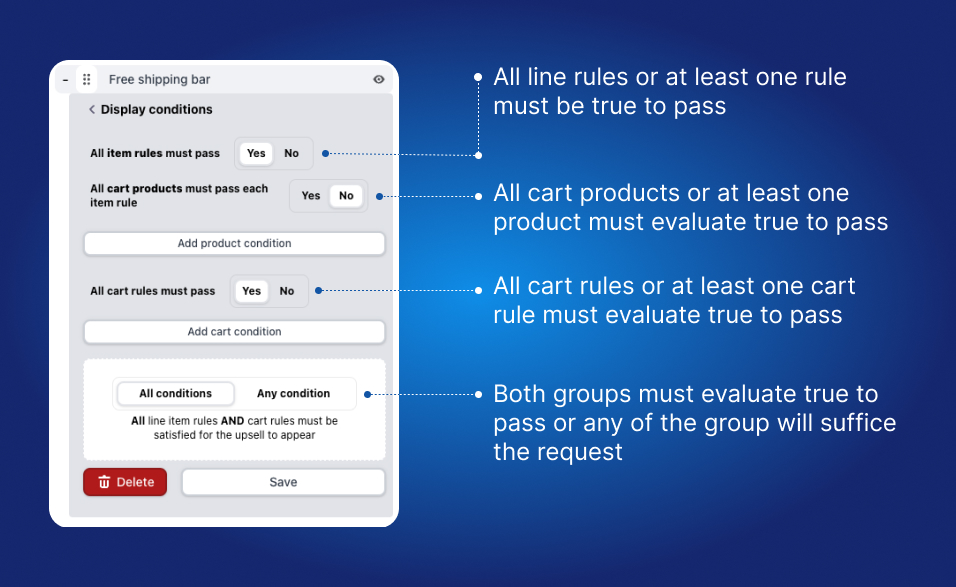
- Conjunction Logic: Combine Group 1 line item rules (e.g. “Cart contains product X”) with Group 2 cart conditions (e.g. “Cart subtotal is over $75”).
- 1-Click Additions: Shoppers can add complementary items, product bundles, or starter kits directly from the drawer without reloading the page.
3. Recommended Initial Settings
For the fastest conversion lift, we recommend enabling the following configuration during your first 24 hours:
| Feature | Recommended Setting | Rationale |
|---|---|---|
| Shipping Protection | Auto-select ON, $1.98 or 1.5% fee | Yields a 55%–70% attach rate; shoppers love peace of mind. |
| Free Shipping Bar | Goal = Median AOV + 20% | Nudges shoppers to add 1 more item to unlock free shipping. |
| In-Cart Upsells | 2 high-margin accessories under $25 | Low-friction decision that increases cart value before checkout. |
| Terms Checkbox | Optional (unless selling age-gated goods) | Keeps checkout completely frictionless while remaining compliant. |
4. Testing Your Cart Before Going Live
We recommend testing your new cart on a duplicate unpublished theme first:
- Go to Online Store → Themes.
- Click the three dots
...next to your live theme and select Duplicate. - Enable the Supercart App Embed on the duplicate theme.
- Click Preview to verify mobile animations, upsells, and checkout redirects.
- Once you are 100% satisfied, enable the App Embed on your live theme!
Ready to dive deeper? Check out our guide on Publishing Your Cart or explore our Dynamic Pricing Algorithms.