



In-Cart Accordion FAQs & Objection-Crushing Setup
Cart abandonment rarely happens because a customer suddenly lost interest. It happens because an unanswered question created friction:
- “How fast is standard shipping?”
- “Can I exchange this if the size is wrong?”
- “Are returns free?”
When a shopper leaves your cart to search your store navigation for an FAQ page, they often get distracted, browse other tabs, or bounce entirely.
Supercart’s In-Cart FAQs Block (cart_faq) places expandable, sleek accordion answers directly inside the drawer, resolving objections in seconds without leaving the checkout flow.
1. Video Walkthrough: Setting Up In-Cart FAQs
Watch how to add, reorder, and configure FAQ items inside your Supercart cart dashboard in under two minutes:
2. In-Cart FAQ Block in the Editor
Adding FAQs to your cart drawer is fully integrated into the block manager:
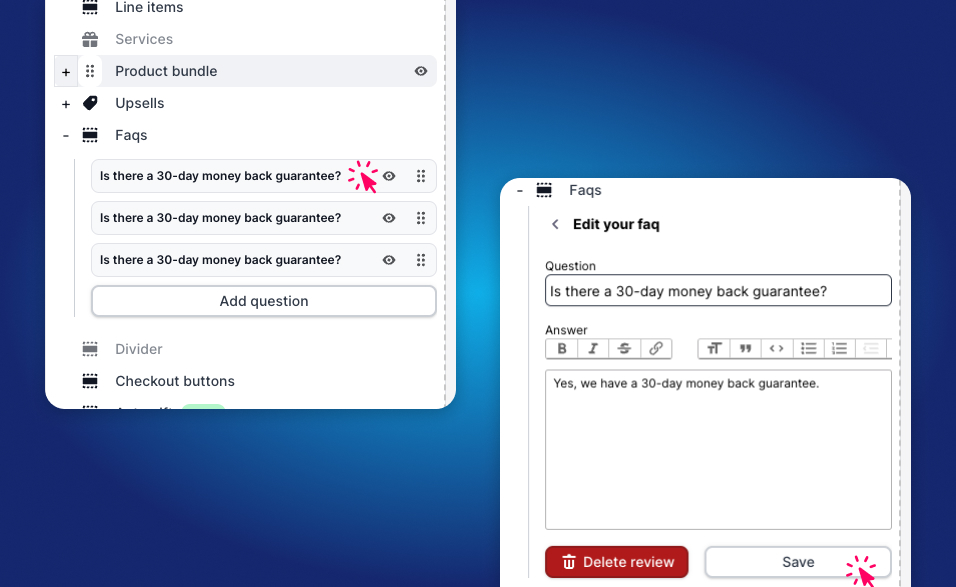
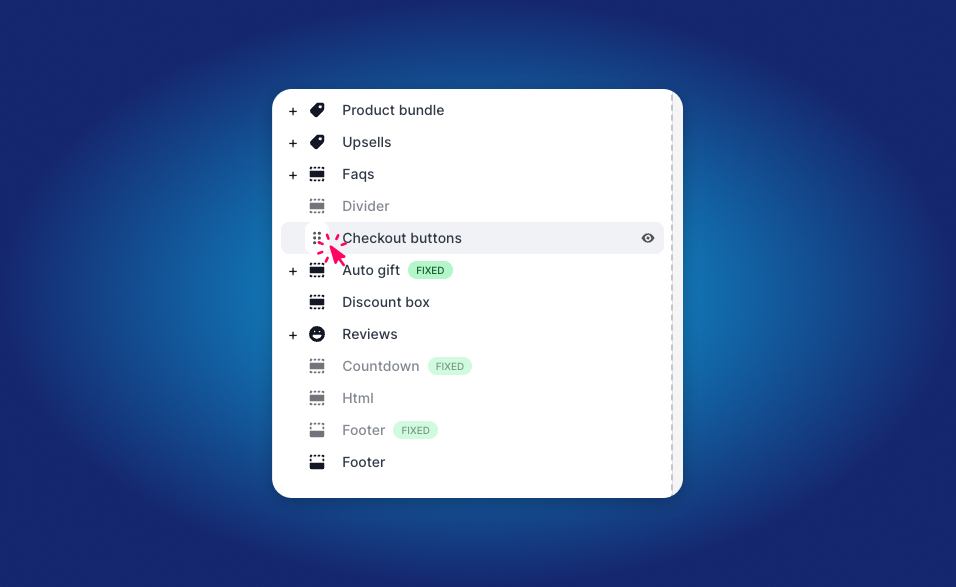
You can place your FAQ accordion anywhere in the drawer layout:
- Immediately below line items: Perfect for compact drawers.
- Above the checkout buttons: Resolves final objections before payment.
3. The Top 3 Objections Every Cart Drawer Must Answer
Based on conversion rate optimization benchmarks across millions of checkouts, your in-cart FAQ should address these three critical concerns:
1. Delivery & Dispatch Timelines
- Question: “When will my order ship?”
- High-Converting Answer: “Orders placed before 2 PM EST ship the same business day. Standard delivery takes 2–4 business days with tracking sent straight to your email.”
2. Returns & Hassle-Free Exchanges
- Question: “What is your return & exchange policy?”
- High-Converting Answer: “We offer a 30-day hassle-free return window. If sizing isn’t perfect, exchanges are 100% free with prepaid shipping labels provided.”
3. Order Security & Payment Methods
- Question: “Is my checkout secure?”
- High-Converting Answer: “All transactions are encrypted via Shopify’s Level 1 PCI-compliant checkout. We accept Shop Pay, Apple Pay, Google Pay, PayPal, and all major credit cards.”
4. Setting Up In-Cart FAQs in Supercart
Step 1: Add the Cart FAQ Block
- In the Supercart Visual Editor, click + Add Block and select Cart FAQs.
- Drag the block near the bottom of the drawer (typically directly above the footer or trust badges).
Step 2: Add Your Question & Answer Pairs
- Click + Add Question.
- Enter your question title and clear, concise answer text.
- Choose the initial display state:
- Collapsed (Recommended): Keeps the drawer compact while allowing curious shoppers to expand specific questions.
- First Question Open: Draws immediate visual attention to your primary shipping or return guarantee.
Step 3: Typography & Icon Styling
Customize accordion chevron styles, divider borders, and brand accent colors to ensure the FAQ integrates seamlessly into your cart aesthetic.