



Promotion Countdown Timer & Cart Reservation Setup
In e-commerce psychology, procrastination is the silent killer of conversions. Shoppers frequently add items to a cart with every intention of buying, but then close the browser tab to “think about it” and never return.
Supercart’s Promotion Countdown Timer Block (urgency_option) leverages Robert Cialdini’s principle of Scarcity & Urgency to give shoppers an immediate reason to complete their order now.
1. Two Powerful Countdown Timer Modes
Supercart supports two distinct urgency frameworks:
A. Cart Reservation Timer (Relative Duration)
- Concept: “Your cart items and promotional discounts are reserved for 10:00 minutes.”
- Best Used For: High-demand products, limited-edition drops, or Black Friday / Cyber Monday flash sales.
- Session Persistence: The countdown is saved in the customer’s browser session. If they refresh the page or navigate to another product, the timer continues ticking down accurately rather than resetting to 10 minutes.
B. Fixed Campaign Deadline (Absolute Timestamp)
- Concept: “Labor Day Sale ends in 04 hours : 32 mins : 18 secs.”
- Best Used For: Holiday weekend promotions, seasonal clearance events, or product launch windows.
- Universal Sync: All shoppers worldwide see the exact same synchronized countdown to the campaign cutoff.
2. Visual Editor Setup & Timer Placement
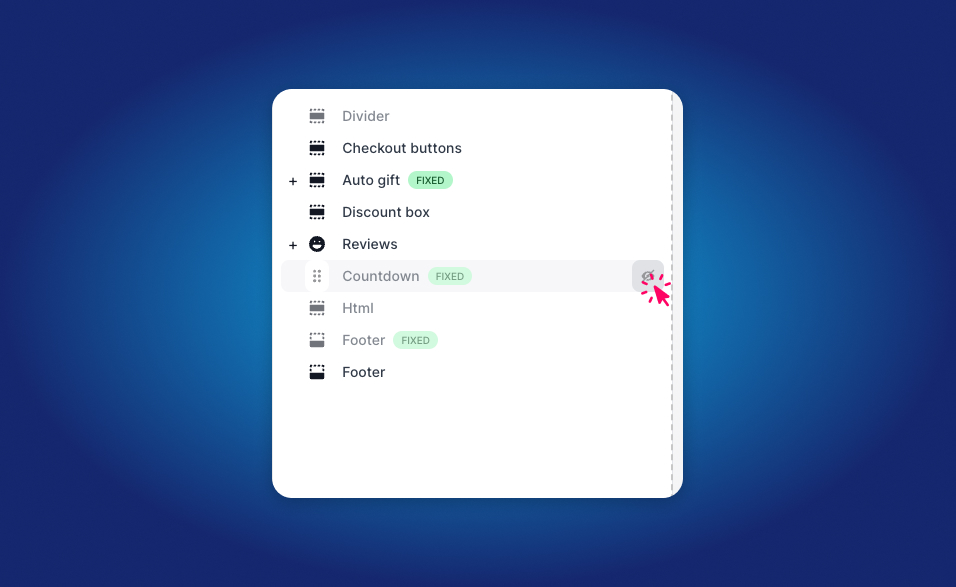
Configuration Steps:
- Open the Supercart Visual Editor.
- In the left panel, click + Add Block and choose Promotion Timer.
- Position the block either:
- At the very top of the drawer: Acts as a high-visibility urgent banner.
- Directly above the checkout button: Serves as a final prompt to complete checkout.
- Select your Timer Type (Cart Reservation vs. Fixed Deadline).
- Set your countdown duration (e.g.,
10 minutes) or target expiration date/time. - Configure expired state behavior:
- Display a gentle expiration message (“Reservation expired — items released to public inventory”).
- Or automatically hide the timer block upon expiration.