



Cart Drawer A/B Split Testing & Conversion Optimization
Every e-commerce merchant knows that guessing what converts best is expensive. Does a $50 free shipping goal lift AOV more than a $75 goal? Does an order insurance toggle convert higher than a checkbox?
Until now, answering these questions required costly enterprise testing tools (like Optimizely or VWO) that slowed down store performance with heavy JavaScript tags.
Supercart is the only cart drawer platform in the Shopify ecosystem with built-in, native A/B split testing.
1. Why Cart Split Testing Changes the Game
Your cart drawer is the final decision gate before the customer reaches checkout. Small micro-optimizations here produce massive bottom-line results:
- Same Ad Spend, More Net Profit: If your ad spend and traffic stay identical, but your cart conversion rate lifts from 3.2% to 3.8%, your profitability scales exponentially.
- Data-Backed Design Decisions: Stop debating with your team about colors or copy. Let real shoppers vote with their credit cards.
- Zero Performance Tax: Supercart’s split testing is executed natively inside our compiled reactive engine without external redirects or render-blocking scripts.
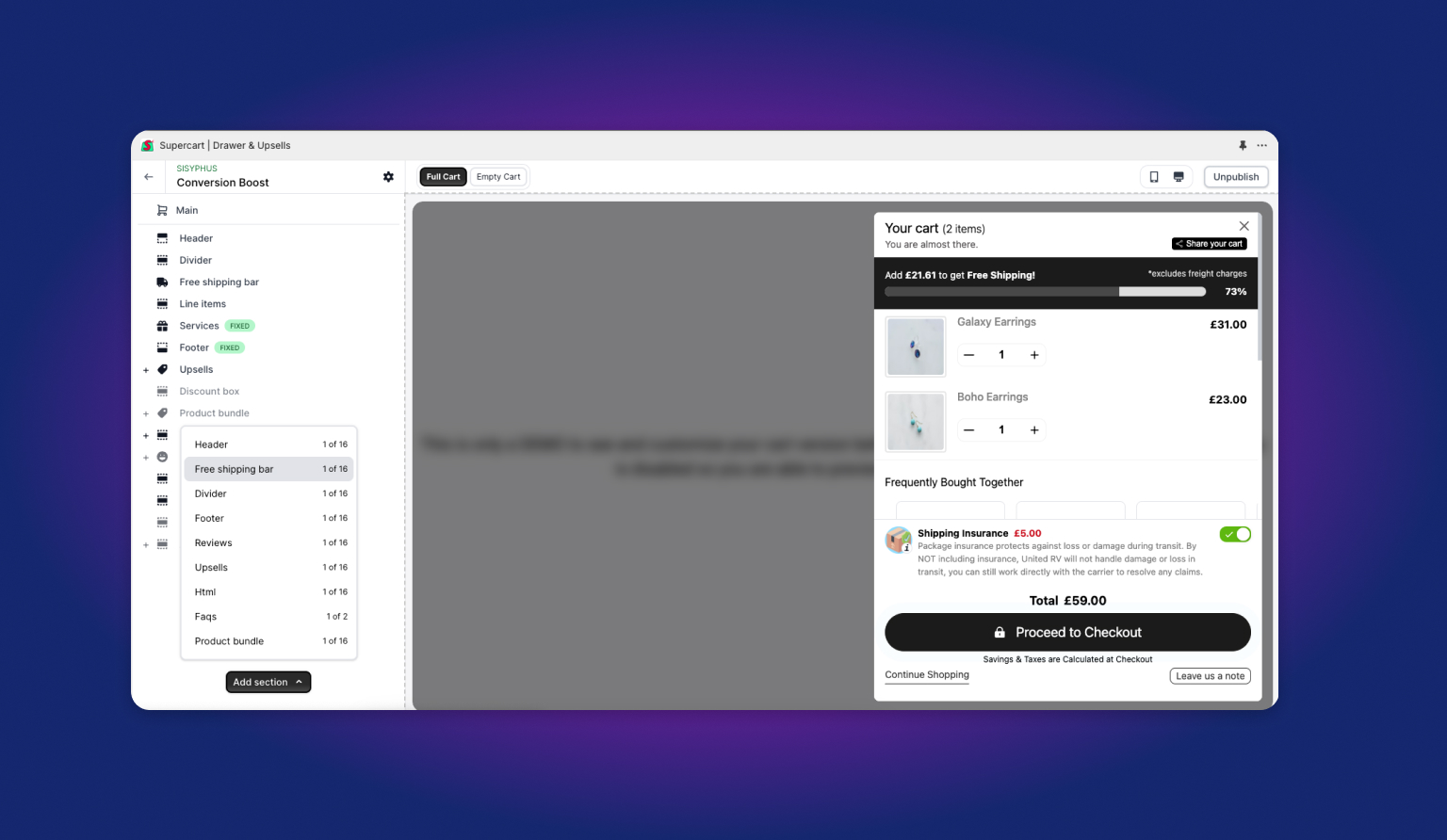
2. How the 50/50 Traffic Router Works
Supercart’s split testing requires zero complex setup:
- When one cart version is published, 100% of store visitors see that version.
- When two cart versions are set to Published, Supercart’s traffic engine automatically initiates a 50/50 split test:
- Visitor A arrives on your store → Assigned to Cart Template A (stored in session storage).
- Visitor B arrives on your store → Assigned to Cart Template B.
- Session persistence ensures an individual shopper consistently sees the same cart design throughout their browsing session.
3. Step-by-Step: Creating Your First Split Test
Step 1: Clone Your Baseline Cart
Never start from scratch. Take your best-performing cart and create an exact clone:
- Navigate to Cart Versions in the Supercart dashboard.
- Click Add Version or click the Clone icon next to your primary cart.
- Name your new version clearly (e.g., “Cart B - $75 Shipping Bar” or “Cart B - Dark Checkout Button”).
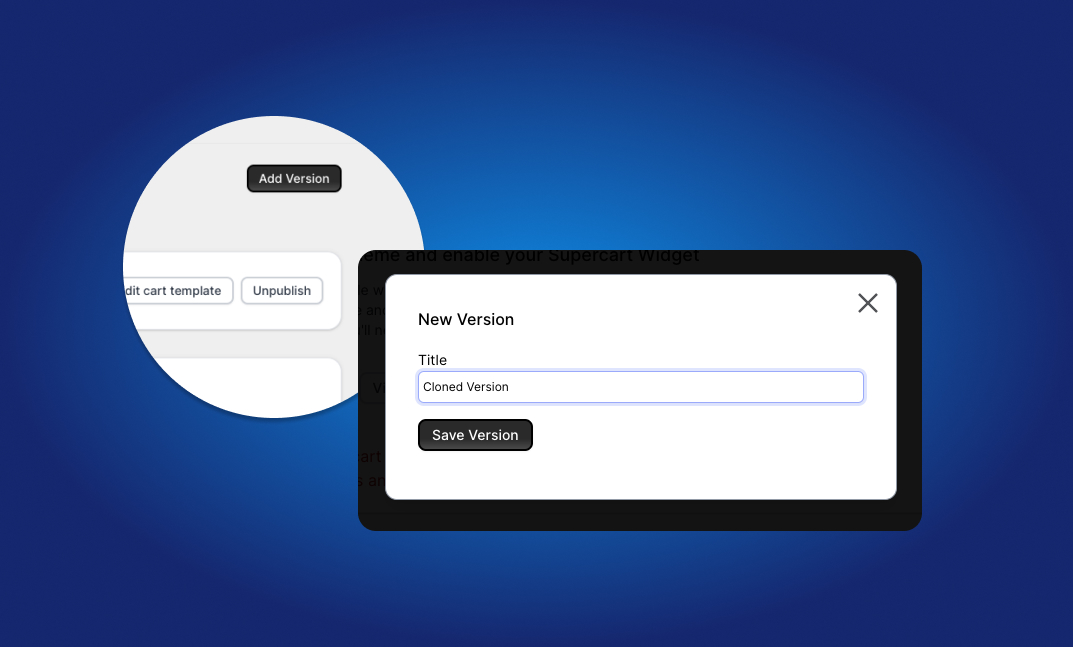
Step 2: Make Exactly ONE High-Leverage Change
Scientific split testing requires isolating variables. If you change five things at once, you will not know which change drove the result.
Recommended single-variable experiments:
- Test 1: Free Shipping Threshold: Cart A ($50 threshold) vs. Cart B ($65 threshold).
- Test 2: Shipping Protection Style: Cart A (Switch UX) vs. Cart B (Checkbox UX).
- Test 3: Upsell Placement: Cart A (Top of Drawer) vs. Cart B (Below Line Items).
- Test 4: Urgency Timer: Cart A (No timer) vs. Cart B (10-minute cart reservation countdown).
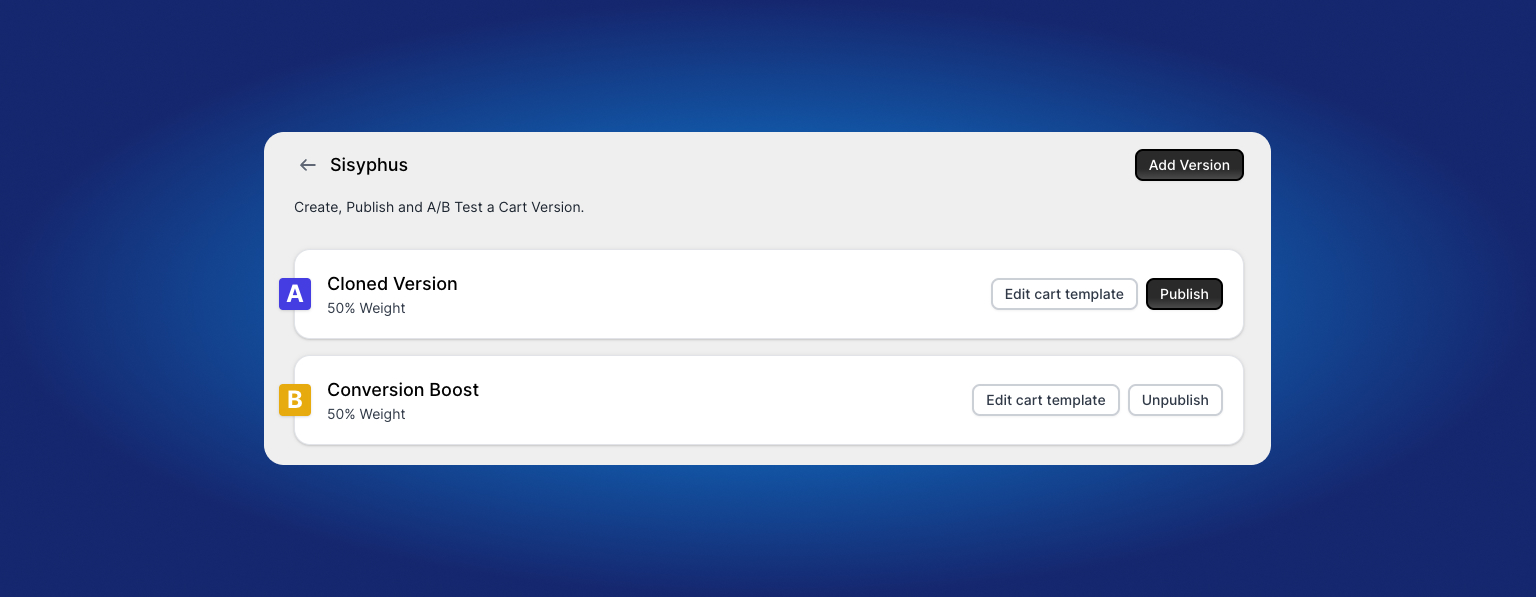
Step 3: Publish Both Versions Simultaneously
Toggle the status of both Cart A and Cart B to Published.
Supercart immediately begins rotating traffic 50/50 and logging checkout conversions and AOV per variant.
4. Analyzing Results & Declaring a Winner
Allow the split test to run until you have collected sufficient checkout sample size:
- Low-volume stores (under 500 orders/mo): Run for 14–30 days.
- High-volume stores (1,000+ orders/mo): Run for 7–14 days.
Inside your Supercart analytics view:
- Compare Conversion Rate (%): Did Cart B complete checkouts at an equal or higher rate?
- Compare Average Order Value ($): Did Cart B generate a higher basket size?
- Compare Revenue Per Visitor (RPV): The ultimate north star metric (
Conversion Rate × AOV).
Once a statistical winner emerges, simply Unpublish the losing variant. Your store immediately defaults 100% of traffic to the winning high-converting cart!